Flight Planner Dashboard
Discover flights operating between any two cities. Find out about flights with stopovers, and non-stop ones.Get fare estimates & flight duration from the top airlines and plan your travel accordingly.
Key features

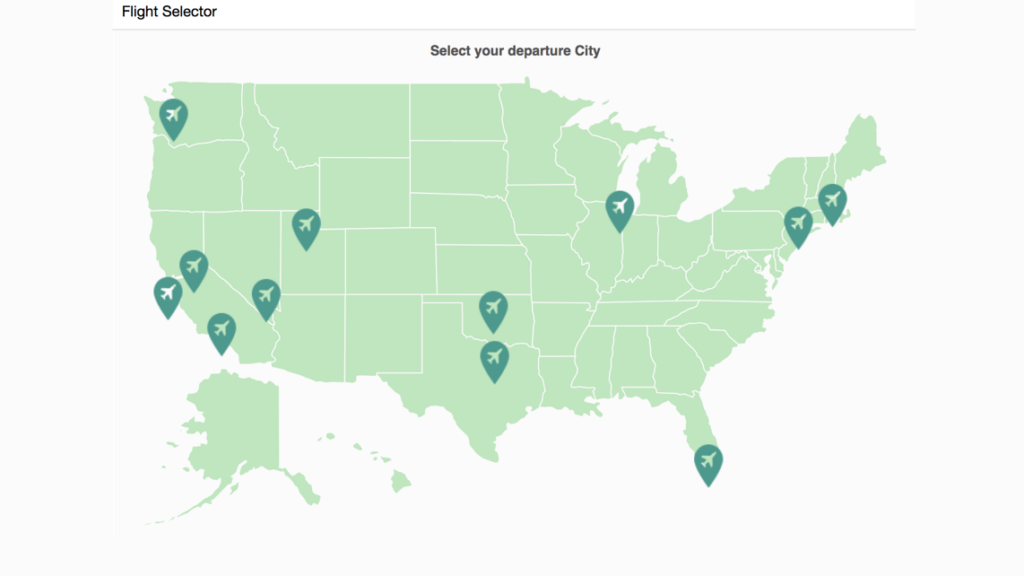
Select any two cities to view the various flights operating between them. Click on the Reset button to clear the current selection and make a new one.
When multiple routes are available between two cities, click on individual tabs in the table to highlight the corresponding route on the map.
Compare travel times and ticket costs between different airlines to ensure you always get the best deal available at the moment.
How to get started with this dashboard
Project Files Setup
- Create a folder and extract the zip.
- Navigate to the extracted folder
- Open 'index.html' in browser