Create stunning data-driven dashboards in SharePoint without any additional code
Collabion Charts for SharePoint provides a quick and easy way to create insightful dashboards in SharePoint, without the need for MOSS or Excel Services

View screenshots


Download now

Collabion Charts for SharePoint

Collabion Charts for SharePoint provides a quick and easy way to create insightful dashboards in SharePoint, without the need for MOSS or Excel Services. It works with WSS 3.0, MOSS 2007 and all editions of SharePoint Server 2010, including Foundation server.

Collabion Charts for SharePoint can be installed and used to create your first dashboard in less than 15 minutes. It has a wizard-based installation and chart creation process, which means you never need to write a line of code. The charts are animated, interactive and are sure to "wow" your users. Even if you are already using the default Charts Web Part in SharePoint, Collabion Charts for SharePoint offers you more chart types, stunning animations, high level of interactivity and support for drill-downs.

Collabion Charts for SharePoint lets you create charts from data stored in SharePoint Lists, Views, CSV string or files, MS SQL, Oracle, Excel and BDC. In addition, you can visually specify the data filters using logical and date filters, group them into different data series and define drill-downs to any level. For example, if you wish to plot a sales chart for last 3 years using data stored in SharePoint lists or database, and enable drill-down on this chart, you can use a combination of date-filter (show data for last 3 years), grouping (group data by years) and then enable drill-down to show data first by year, then quarter, month and finally individual days.

View screenshotsDownload now
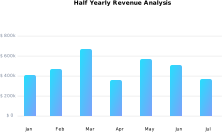
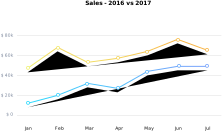
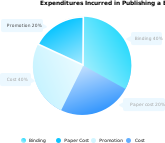
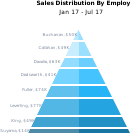
  • Wide variety of chart types offered: Exhaustive list of chart types like basic charts (pie, bar, line, area etc.), combination charts, zoom & scroll charts, sales & marketing charts (Marimekko, Pareto etc.) can be plotted using the same underlying data set. This helps you select the right chart type for the right data.
  • Lots of interactivity in charts: The charts are highly interactive with tooltips, drill-downs, selective display of data and scroll & zoom capabilities, enabling a rich user experience.
  • Filtering, grouping & drill-down supported: Logical, boolean and date filters can be specified on data sets to narrow down the data to be plotted on the chart. Further, they can be re-grouped using a different set of parameters and then drill-down can be enabled based on this grouping. This allows you to slice, dice and visualize the data in any way you want, irrespective of how it is originally stored in SharePoint.
  • Extensively customizable cosmetics: Visual aspects like fonts, colors, effects and animation of each element on the chart can be customized extensively using the wizard.
  • Renders in JavaScript and Flash: Charts are rendered using JavaScript (HTML5) and Flash, and hence work on all major platforms, browsers, and devices including iPhones and iPads. Collabion Charts for SharePoint automatically chooses the right mode to render the charts based on the device from which SharePoint is accessed.
  • Can be exported as images/PDF: Individual charts, or all charts on a page can be collectively exported as image or PDF for offline use. The charts can be printed as well.
  • Easy to use, without any code: No coding required at all. Charts are created and edited using the visual wizard.
  • Works with all SharePoint editions: It works the same across WSS 3.0, MOSS 2007 & SharePoint 2010, including Foundation Server, on Windows Server 2003 & 2008, without the need for Excel Services.
  • Multiple data sources supported: The data to plot the charts can be retrieved from SharePoint Lists, Views, CSV string or files, MS SQL, Oracle, Excel & BDC with the same ease of use.
  • Single Series
    • Column 2D
    • Column 3D
    • Pie 2D
    • Pie 3D
    • Line 2D
    • Bar 2D
    • Area 2D
    • Doughnut 2D
    • Doughnut 3D
    • Funnel
    • Pyramid
    • Spline
    • Spline Area
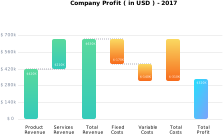
    • Waterfall/Cascade
    • Pareto 2D
    • Pareto 3D
  • Multi-series
    • Multi-series Column 2D
    • Multi-series Column 3D
    • Multi-series Line 2D
    • Multi-series Area 2D
    • Multi-series Bar 2D
    • Multi-series Bar 3D
    • Multi-series Spline
    • Multi-series Spline Area
    • Logarithmic Line
    • Logarithmic Column
    • Radar
    • Inverse Area
    • Inverse 2D Column
    • Inverse 2D Line
    • Marimekko
    • Zoom Line with scrolling and pinning support
  • Stacked Chart
    • Stacked Column 2D
    • Stacked Column 3D
    • Stacked Area 2D
    • Stacked Bar 2D
    • Stacked Bar 3D
    • Multi-series Stacked Column 2D
  • Combination Chart
    • 2D Single Y Combination
    • 3D Single Y Combination
    • Column 3D + Line Single Y
    • 2D Dual Y Combination
    • Column 3D + Line Dual Y
    • Stacked Column 3D + Line Dual Y
    • Multi-series Stacked Column 2D + Line Dual Y
    • 2D Stacked Column Line (Single Y axis)
    • 3D Stacked Column Line (Single Y axis)
  • X-Y Charts
    • Scatter (XY Plot)
    • Bubble
  • Scroll Charts
    • Scroll Column 2D
    • Scroll Line 2D
    • Scroll Area 2D
    • Scroll Stacked Column 2D
    • Scroll Combination 2D (Single Y)
    • Scroll Combination 2D (Dual Y)
See them In action